Link Moved ------------------------------>
http://embeddedsharer.blogspot.com/2012/04/useful-sites-for-project-ideas.html
http://embeddedsharer.blogspot.com/2012/04/useful-sites-for-project-ideas.html

| Step | wire 1 | wire 2 | wire 3 | wire 4 |
| 1 | High | low | high | low |
| 2 | low | high | high | low |
| 3 | low | high | low | high |
| 4 | high | low | low | high |


| Step | wire 1 | wire 2 |
| 1 | low | high |
| 2 | high | high |
| 3 | high | low |
| 4 | low | low |


dim motorStep(1 to 4) as byte
dim thisStep as integer

Sub main()
    call delay(0.5)  ' start  program with a half-second delay

    dim i as integer

    ' save values for the 4 possible states of the stepper motor leads
    ' in a 4-byte array.  the stepMotor routine will step through
    ' these four states to move the motor. This is a way to set the
    ' value on four pins at once.  The eight pins 5 through 12 are
    ' represented in memory as a byte called register.portc. We will set
    ' register.portc to each  of the values of the array in order to set
    ' pins 9,10,11, and 12 at once with each step.

    motorStep(0) = bx0000_1010
    motorStep(1) = bx0000_0110
    motorStep(2) = bx0000_0101
    motorStep(3) = bx0000_1001

    ' set the last 4 pins of port C to output:
    register.ddrc = bx0000_1111

    ' set all the pins of port C low:
    register.portc = bx0000_0000

    do
        ' move motor forward 100 steps.
        ' note: by doing a modulo operation on i (i mod 4),
        ' we can let i go as high as we want, and thisStep
        ' will equal 0,1,2,3,0,1,2,3, etc. until the end
        ' of the for-next loop.

        for i = 1 to 100
            thisStep = i mod 4
            call stepMotor(thisStep)
        next

        ' move motor backward
        for i = 100 to 1 step -1
            thisStep = i mod 4
            call stepMotor(thisStep)
        next
    loop

End Sub

sub stepMotor(byref whatStep as integer)
    ' sets the value of the eight pins of port c to whatStep
    register.portc = motorStep(whatStep)

    call delay (0.1)  ' vary this delay as needed to make your stepper step.
end sub
PicBasic Pro code:start:
High PORTB.0
' set variables:
x VAR BYTE
steps VAR WORD
stepArray VAR BYTE(4)
clear
TRISD = %11110000
PORTD = 255
input portb.4
Pause 1000
stepArray[0] = 001010
stepArray[1] = 000110
stepArray[2] =000101
stepArray[3] = 001001
main:
if portb.4 = 1 then
steps = steps + 1
else
steps = steps - 1
endif
portD = stepArray[steps //4]
pause 2
GoTo mainpBasic (Basic Stamp 2) code:' set variables:
x var byte
stepper var nib
steps var word
' set pins 8 - 10 as outputs, using DIRS to do so:
dirs.highbyte = 001111
main:
steps = 200
gosub clockStep
pause 1000
gosub counterClockStep
pause 1000
goto main
clockStep:
debug "counter" , cr
for x = 0 to steps
lookup x//4, [%1010,%1001,%0101,%0110], stepper
outs.highbyte.lownib = stepper
pause 2
next
return
counterclockStep:
debug "clockwise", cr
for x = 0 to steps
lookup x//4, [%0110,%0101,%1001,%1010], stepper
outs.highbyte.lownib = stepper
pause 2
next
returnWiring Code (for Arduino board):/*
Stepper Motor Controller
language: Wiring/Arduino
This program drives a unipolar or bipolar stepper motor.
The motor is attached to digital pins 8 and 9 of the Arduino.
The motor moves 100 steps in one direction, then 100 in the other.
Created 11 Mar. 2007
Modified 7 Apr. 2007
by Tom Igoe
*/
// define the pins that the motor is attached to. You can use
// any digital I/O pins.
#include <Stepper.h>
#define motorSteps 200 // change this depending on the number of steps
// per revolution of your motor
#define motorPin1 8
#define motorPin2 9
#define ledPin 13
// initialize of the Stepper library:
Stepper myStepper(motorSteps, motorPin1,motorPin2);
void setup() {
// set the motor speed at 60 RPMS:
myStepper.setSpeed(60);
// Initialize the Serial port:
Serial.begin(9600);
// set up the LED pin:
pinMode(ledPin, OUTPUT);
// blink the LED:
blink(3);
}
void loop() {
// Step forward 100 steps:
Serial.println("Forward");
myStepper.step(100);
delay(500);
// Step backward 100 steps:
Serial.println("Backward");
myStepper.step(-100);
delay(500);
}
// Blink the reset LED:
void blink(int howManyTimes) {
int i;
for (i=0; i< howManyTimes; i++) {
digitalWrite(ledPin, HIGH);
delay(200);
digitalWrite(ledPin, LOW);
delay(200);
}
}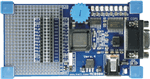 The Keil MCB900 Evaluation Board is a versatile, flexible prototype board for the NXP (founded by Philips) P89LPC93x microcontroller family. It includes the Keil µVision LPC Development Studio which allows you to create and debug programs that you can program into on-chip Flash ROM using FlashMagic.